Over the past day, CyberHUB-AM received reports of an Armenian-language phishing email circulating among civil society professionals. It invites the recipient to speak as an expert at a discussion supposedly organized “within the Women of Armenia programme.”
The invitation is fake. The Women’s Resource Center did not send it, and the event does not exist.
We want to be clear about one thing at the outset: the organization whose name is being used is a victim here, not a source of the problem. Attackers borrow the credibility of trusted institutions precisely because that credibility is real.
What the email looks like
The message is well written in Armenian. It:
- Addresses you personally and invites you to participate as a subject-matter expert
- Describes a discussion about “individualized protective solutions for women” and future cooperation
- Is signed by “Arthur Sargsyan, Manager of Relations with Specialists and Cooperation”
- Claims to come from the “Armenian Women’s Leaders Center”
- Gives an event date of 25 July 2026 — one day after the emails went out
- Contains a single link: cftjustice.com/womensofarmenia
The invitation is flattering, plausible, and time-pressured, to give you a sence of urgency.
What happens when you click
The link doesn’t take you straight to the trap. It moves you through several steps to dull your vigilence.
Step one: You’ll see what looks like a routine CAPTCHA — the kind you click through a dozen times a week without thinking. It has a second purpose. Automated security scanners get stuck on this page and never see what’s behind it.
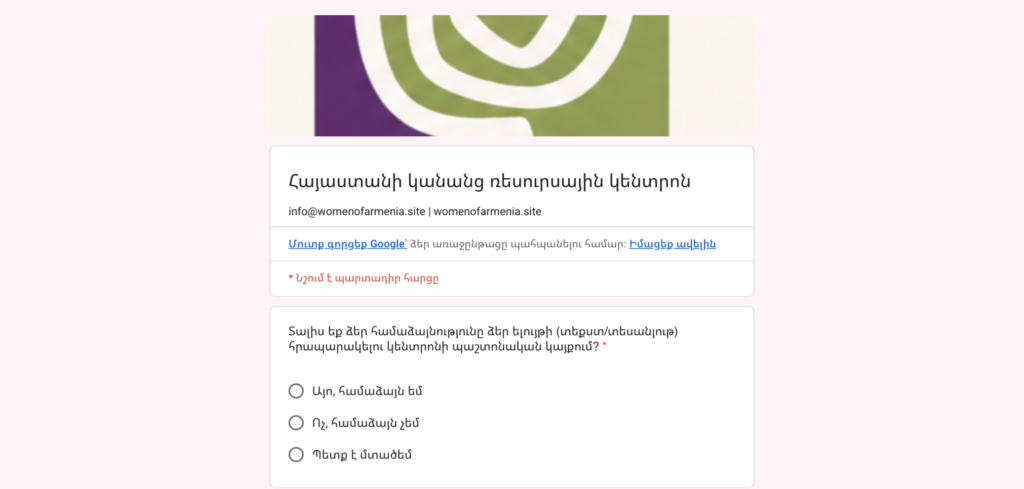
Step two: You land on womensofarmenia.site. Read that carefully: the real website address of the organization is womenofarmenia.**org**. The attackers added an “s” and changed the top level domain from .org to .site. The page is titled “Women of Armenia — Empowerment & Advocacy” and looks entirely reasonable.
Step three: a normal-looking questionnaire. A form appears asking ordinary questions of the sort any event organizer might ask. Nothing about it feels alarming. Its actual job is to get you comfortable before the real request.
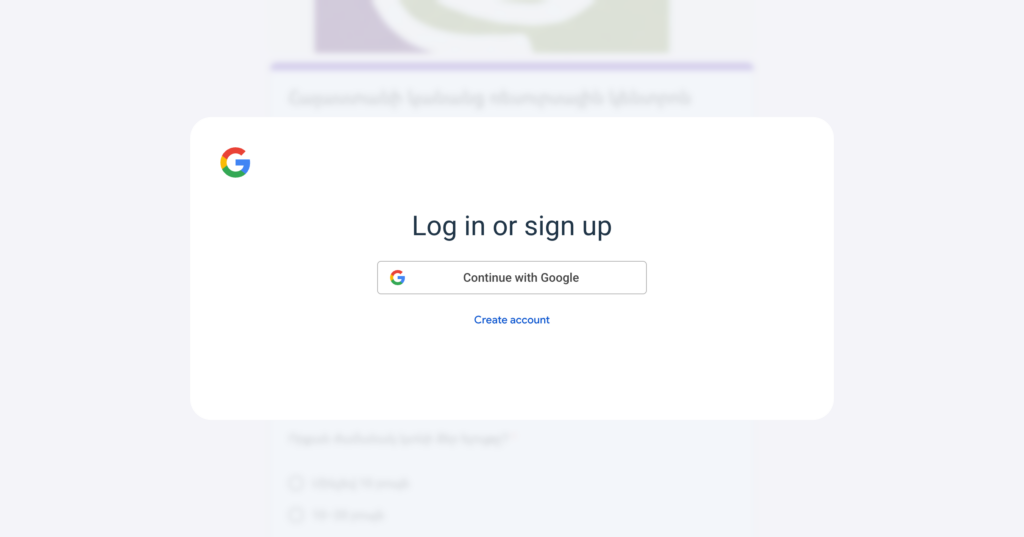
Step four: To submit the form, you’re asked to sign in. At this stage you are sent to the genuine accounts.google.com. The attackers aren’t trying to steal your password. They’re asking you to grant permission to an app they control. Buried in that request is a permission called gmail.modify. In plain terms, approving it gives a stranger the ability to:
- Read every email in your mailbox, including attachments and your entire archive
- Send email as you, to anyone in your contacts
- Delete messages and move them to Trash, including security alerts that might warn you
The attackers specifically requested long-term access, which means:
Changing your password will not stop them. Two-factor authentication will not stop them. Once you approve the permission, their access continues until you explicitly revoke it.
What to do right now
If you received the email but did not click: delete it. If you’d like to help, forward it to us with full headers before you do — sender details help us map the campaign.
If you clicked the link but did not sign in with Google: you are very likely fine. Close the tab. Don’t return to the page.
If you signed in and approved a permission request — act now, in this order:
- Revoke the access. Go to myaccount.google.com/permissions. Look through the list of apps with access to your account and remove anything you don’t recognize or don’t remember approving. This is the step that actually cuts off the attacker. Do it before anything else.
- Check your Gmail settings for anything they left behind. Attackers often set up automatic forwarding or filters so mail keeps flowing to them after they’re locked out. In Gmail settings, look at Filters and Blocked Addresses and Forwarding and POP/IMAP. Delete anything you didn’t create yourself.
- Look at your Sent and Trash folders. If messages were sent from your account that you didn’t write, or things were deleted that you didn’t delete, that tells you the account was actively used — and the people who received those messages need a warning.
- Change your password and check your recovery options — your recovery phone number and email address. This won’t undo the OAuth access on its own (step 1 does that), but it closes off other routes back in.
- Tell someone. Contact CyberHUB-AM, and let your colleagues know. If your mailbox was accessed, the contacts in it may be targeted next — and a warning from you is worth far more than one from a stranger.
Please don’t delete evidence before reaching out. Screenshots and the original message help us protect other people.